
What You Are Actually Choosing Between
Employee time tracking answers three questions for every person on every day: were they there, from when to when, and on what. Attendance methods answer the first two; timesheets answer the third. Most Indian SMEs start with a paper register or a WhatsApp group, move to Excel when the register becomes impossible to total, and only then look at a terminal or an app. Each step solves the last problem and creates a new one, which is why it helps to compare all six methods against the same criteria at once.
The six methods in practical use are: a paper attendance register (or hazri book), an Excel attendance sheet maintained by a supervisor, a biometric terminal at the gate (fingerprint or face), a mobile attendance app with GPS, geofence and face or selfie verification, a web clock-in for office and desk staff, and project timesheets where people record hours against tasks or clients. Many companies run two at once, for example a biometric gate for the factory floor and an app for field sales.
Use the same six criteria to score each: accuracy of the recorded time, resistance to proxy or buddy punching, suitability for people who work away from a fixed site, total cost including the supervisor hours it consumes, how directly the output feeds payroll, and whether it produces the records that a labour inspector or a client auditor will accept. The time and attendance glossary entry defines the terms used below.
- Attendance methods record presence and in/out times; timesheets record hours by task or client
- Six methods: paper register, Excel, biometric terminal, GPS/face app, web clock, project timesheet
- Score each on accuracy, fraud resistance, field suitability, cost, payroll readiness and compliance records
- Combining two methods for different worker groups is normal, not a failure
Paper Register and Excel Sheet: Cheap Until You Count the Hours
A paper register costs nothing to start and is still legally acceptable in most states, provided it is kept in the prescribed form and is available for inspection. Its weaknesses are the ones every payroll executive knows: the time written is whatever the supervisor writes, signatures are added in bulk at day end, corrections are overwritten rather than logged, and totalling 26 days for 80 people takes a full working day before payroll can start. Fraud resistance is the lowest of any method because the same hand that records can also alter.
Excel is the register with arithmetic. A well-built sheet with P/A/HD/L/WO codes and COUNTIF totals cuts month-end totalling to minutes, and in/out columns let you compute hours worked. But the data still originates from someone typing what they were told, so accuracy and fraud resistance do not improve; only the arithmetic does. Excel also breaks quietly: a copied formula that stops one row short, a date column that is text on one laptop, or two versions of the same month circulating by email. The Excel attendance sheet alternative article covers the failure modes in detail.
Both are reasonable for a single site with under about 20 people and fixed hours, and for businesses where the owner is physically present every day. Their real cost is supervisor time: at even two hours a day across sites, a 100-person company spends more in wages on maintaining the register than a per-employee app subscription would cost, without any improvement in the reliability of the numbers.
- Register: zero software cost, lowest accuracy, no audit trail on corrections
- Excel: fast totals and hours formulas, but data is still hand-entered
- Both suit a single small site with the owner present
- Count supervisor hours as part of the cost, not just software fees
Biometric Terminal at the Gate: Accurate at One Point, Blind Everywhere Else
A fingerprint or face terminal fixed at the gate records the exact second a person punches, and a fingerprint cannot easily be lent to a colleague. For a factory, warehouse or hospital where everyone enters through one door, this is the biggest single jump in accuracy available. Records are timestamped by the device and exported as a log, which most payroll systems and inspectors accept without argument.
The limits show up when work is not at the gate. Field staff, guards on client sites, drivers and housekeeping teams spread across a township never pass the terminal. Terminals also create a queue at shift change, fail when the power or the network drops unless they have local storage, and need someone to pull the log, clean it (double punches, missed out-punches) and map device user IDs to payroll employee codes. That cleaning step is where the ‘accurate’ data often gets edited by hand again.
The practical position for most multi-site businesses is a terminal for the fixed site plus a mobile method for everyone else, with both feeding one attendance record. Attend Mitra supports biometric device integration alongside app, kiosk and web attendance so that a factory gate punch and a field selfie land in the same live monitor and the same payroll export. For a closer comparison of terminal versus app, see attendance machine vs attendance app.
- Highest single-point accuracy and strong proxy resistance
- Useless for anyone who does not pass the device
- Log cleaning and ID mapping reintroduce manual editing
- Pair with a mobile method rather than replacing it
Mobile App With GPS, Geofence and Face: Built for Distributed Teams
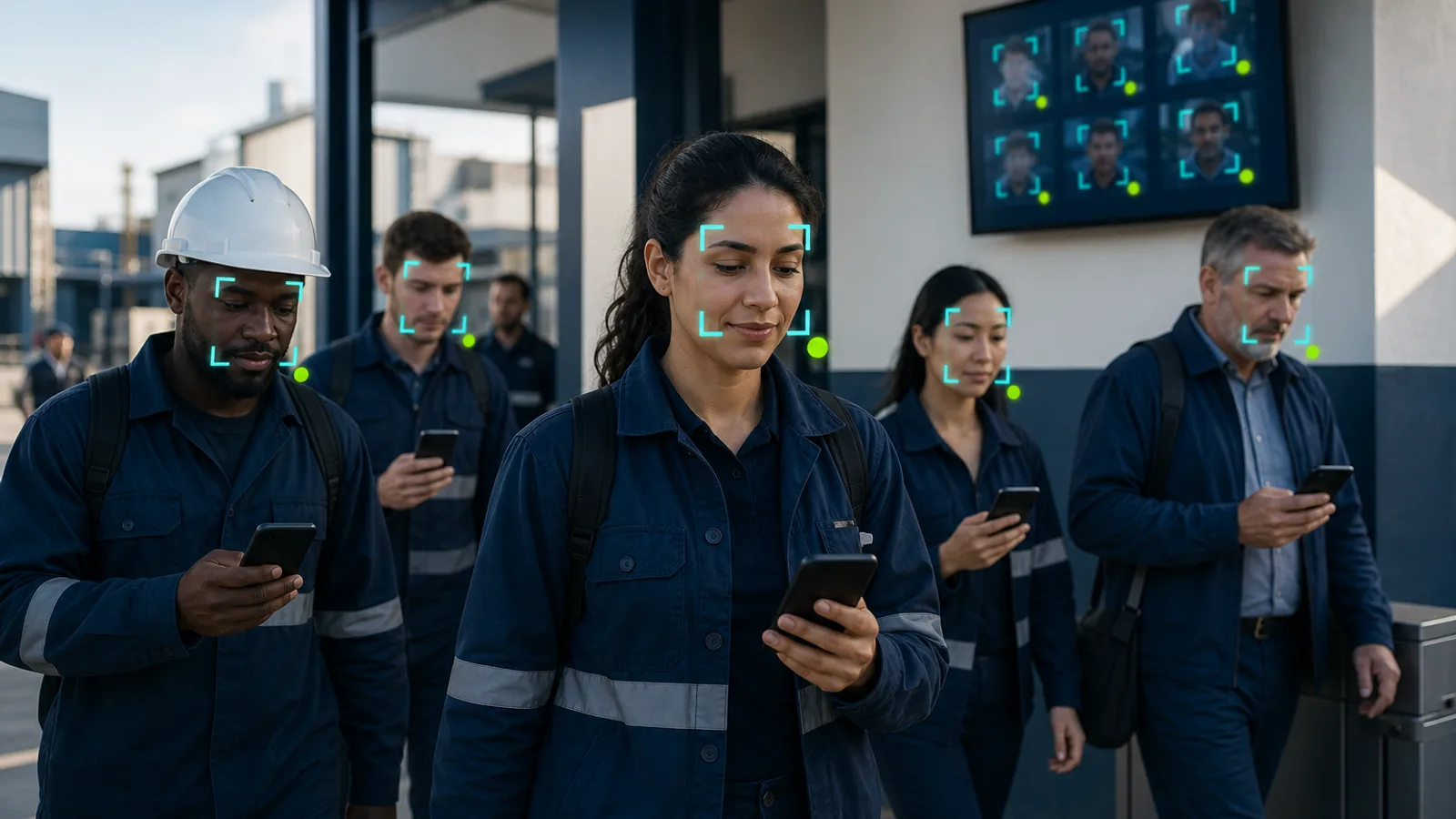
A mobile attendance app moves the punch to the employee's phone and verifies it three ways: where (GPS and a geofence around each site with a configurable radius), who (face recognition with a liveness check, or a selfie reviewed by a supervisor), and when (server time, not phone time). This is the only method that works equally for a guard at a client gate in Gurugram, a medical representative visiting clinics and an office employee, and the only one that can show a live picture of who is present on which site right now.
Fraud resistance depends on configuration. Geofencing plus face verification stops buddy punching outright; GPS alone does not, because a phone can be handed over. Mock-location apps on Android are the common attack, and a good app flags them rather than silently accepting the punch. Offline capture that syncs later matters for basements, remote plants and rural sites; see the offline attendance app feature page. For shared devices where staff do not carry smartphones, a tablet in kiosk mode at the site gives the same record without individual phones.
Two things to settle before rollout. First, the legal basis: location and face data are personal data under the DPDP Act 2023, so you need a written notice, a stated purpose limited to attendance, and a retention period; face descriptors should be stored as encrypted templates rather than photographs. Read is employee GPS tracking legal in India before drafting the notice. Second, the shift link: an app punch is only payroll-ready when it is compared against an assigned shift with grace period and late-mark rules, so roster and attendance must live in the same system.
- Verifies where, who and when; works on any site, including client premises
- Geofence plus face stops proxy punching; GPS alone does not
- Needs offline sync, mock-location flagging and a DPDP-compliant notice
- Punches become payroll-ready only when matched to an assigned shift
Web Clock and Project Timesheets: Hours by Task, Not Just Presence
A web clock-in from a laptop suits desk teams, remote employees and IT/ITeS staff whose work day is defined by login rather than a gate. It is accurate on time, weak on location unless IP or device checks are added, and accepted by payroll as long as the shift rules are applied to it. It is rarely enough on its own for a company with any field or floor staff.
Project timesheets solve a different problem. A services firm, a staffing agency or a facility-management contractor needs hours split by client, site or project because that is what it bills. The employee enters 4 hours on Client A and 5 hours on Client B; the manager approves; billing and payroll both read the approved sheet. The timesheet entry and timesheet vs attendance explain how the two records relate and why you usually need both.
Timesheets are self-reported, so their accuracy is only as good as the reconciliation against attendance: a person cannot bill 11 hours on a day the attendance record shows 8. Use the timesheet calculator to total weekly hours quickly during that check, and treat unexplained gaps between attendance hours and timesheet hours as the first review item each week.
- Web clock: fine for desk and remote staff; weak on location
- Timesheets: hours by client or project, needed wherever hours are billed
- Self-reported, so reconcile against attendance every week
- Attendance proves presence; the timesheet allocates it
Decision Matrix by Workforce Type and How to Roll Out
Match the method to how and where people work rather than to what a vendor sells. A single-shift factory or hospital with one gate: biometric terminal, with the app for anyone posted outside. Security agencies, facility management and housekeeping contractors: GPS and face app with site geofences, plus site-wise man-hour exports for client billing. Field sales, medical representatives and service technicians: GPS app with visit check-ins. Offices, IT and BPO: web clock or face app, integrated with the shift roster for night processes. Consulting, staffing and IT services: app or web attendance plus project timesheets for billing.
Roll out in this order. Fix the employee master, departments and sites first, because every method maps its records to those. Define shift templates with grace, late-mark and overtime rules before the first punch is captured; otherwise you collect data you cannot process. Run the new method in parallel with the old one for one payroll cycle and reconcile the two; the differences tell you which sites have proxy punching or wrong shift assignments. Publish a short attendance policy and the DPDP notice on the same day the app goes live, and collect acknowledgements in the app.
Whatever you choose, keep the output format constant: a monthly record per employee with present days, paid leave, weekly offs, holidays, LOP, late marks and overtime hours, with every correction logged with an approver and reason. That is what payroll, auditors and inspectors need, and it is what lets you change the capture method later without changing anything downstream. Attend Mitra produces this record from any mix of app, kiosk, web and biometric punches, with regularization workflows and an audit trail, and offers a 14-day free trial without a card so you can run the parallel month before deciding. For stopping the most common fraud in any method, see how to stop buddy punching.
- Fixed single gate: biometric; distributed sites: GPS and face app; billed hours: add timesheets
- Set up employee master, sites and shift rules before capturing punches
- Run one parallel payroll cycle and reconcile the differences
- Standardize the monthly output so the capture method can change without touching payroll