
Field Worker Software with GPS for Corporate Offices
Field employees such as sales reps, service technicians, delivery staff and merchandisers start their day somewhere other than the office, which is exactly where paper attendance fails. Built for corporate offices across India, with a 14-day free trial.
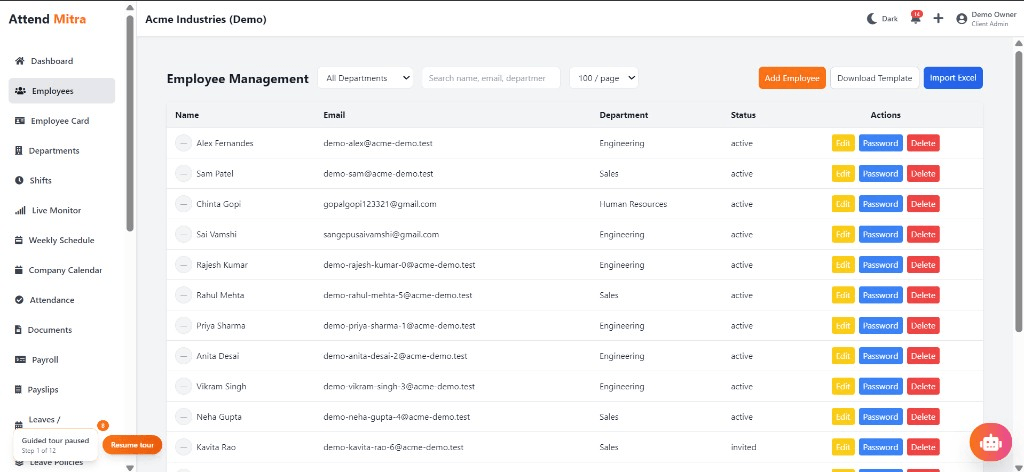
Field Worker Software with GPS for Corporate Offices: overview
This guide covers field employee tracking for corporate offices: how it works in Attend Mitra, how to manage several locations in one place, and what to check before you pick a tool.
The short version: Attend Mitra gives you clock in from the field, gps at clock-in and clock-out and face verification, running on employees' Android phones instead of a machine at the door. You can try it free for 14 days without a credit card.
Where field employee tracking goes wrong for corporate offices
Start-of-day check-in calls
Supervisors spend the first hour calling reps to ask where they are.
Hours nobody can verify
Field staff are paid a full day whether they started at 9 or at 11.
Proxy attendance in teams
One rep marks attendance for the whole beat group from one phone.
Overtime claims without proof
Late visits are claimed as overtime with no record of when the day actually ended.
How field employee tracking works in Attend Mitra
Field employees such as sales reps, service technicians, delivery staff and merchandisers start their day somewhere other than the office, which is exactly where paper attendance fails. Attend Mitra lets them clock in from the Android app wherever their assigned work location is, with GPS and face checks confirming the place and the person.
Managers see who is on duty in the live attendance monitor and get location-stamped clock-in and clock-out records for every day. Working hours and overtime come from those records, so field teams are paid on what the data shows, not on what was reported by phone.
What to check before you choose
- Can field staff clock in at a client location, not just the office?
- Does the record show where the day started and ended?
- Is there a face or selfie check to stop proxy attendance?
- Can managers see who is on duty right now?
- Is location captured at clock-in and clock-out rather than all day, which is easier for staff to accept?
Managing field employee tracking across several locations
With several locations, the hard part of field employee tracking isn't recording attendance but seeing it in one place. Attend Mitra lets you set up each branch, store or site with its own geo-fence and checks, while head office sees every location's attendance in one console.
Branch managers handle their own team's exceptions and approvals, and the Enterprise plan adds multi-branch management for organisations running many sites.
- Separate geo-fence and checks for each location.
- One console across every branch.
- Multi-branch management on Enterprise.
What corporate offices get from Attend Mitra
Corporate offices manage desk employees, hybrid teams and outsourced support staff under one roof. For corporate offices, field employee tracking matters because of a simple problem: hybrid attendance is hard to verify, and support staff from vendors are tracked on separate registers.
Office Wi-Fi check-in
Desk staff clock in on the office network without extra hardware.
Hybrid days recorded
Remote days are marked through the app instead of emails.
Vendor staff alongside employees
Housekeeping and security staff in the same attendance system.
Field Employee Tracking features in Attend Mitra
Clock in from the field
Employees mark attendance from their phone at their assigned location.
GPS at clock-in and clock-out
Each entry records where the day started and ended.
Face verification
Confirms the rep is the one clocking in, even on a shared phone.
Live attendance monitor
Managers see who has started work across the team.
Working hours and overtime
Hours are calculated from actual clock-in and clock-out times.
Leave from the app
Field staff apply for leave without visiting the office.
Setting up field employee tracking in four steps
Assign territories
Link each field employee to the locations they work from.
Clock in on the move
Staff slide to clock in with GPS and face checks.
Monitor the day
Managers watch live attendance instead of calling around.
Pay on verified hours
Export working hours and overtime for payroll.
What You Gain With Attend Mitra
Scale without new registers
Add locations and employees without changing your process.
Records you can produce
Verified attendance history for inspections, audits and client billing.
Fewer calls to HR
Employees check their own attendance, leave and shifts in the app.
Why Choose Attend Mitra
Plans sized by headcount
Starter for up to 20 employees, Professional for up to 100, Enterprise for larger teams.
Face verification included
Face recognition on the phone camera stops buddy punching without expensive hardware.
Payroll & compliance ready
PF computation, salary register and PF contribution summary exports for Indian payroll.
Frequently Asked Questions
Related Solutions
Everything on this page is part of Attend Mitra attendance software: GPS and selfie check-in, shifts, leave and payroll-ready reports in one place.
Ready to simplify workforce management?
Field employees such as sales reps, service technicians, delivery staff and merchandisers start their day somewhere other than the office, which is exactly where paper attendance fails. Built for corporate offices across India, with a 14-day free trial.