
Best Project Time Tracking Software in Nagpur
Time tracking software records how many hours each employee worked, from the moment they clock in to the moment they clock out. Built for teams in Nagpur, with a 14-day free trial.
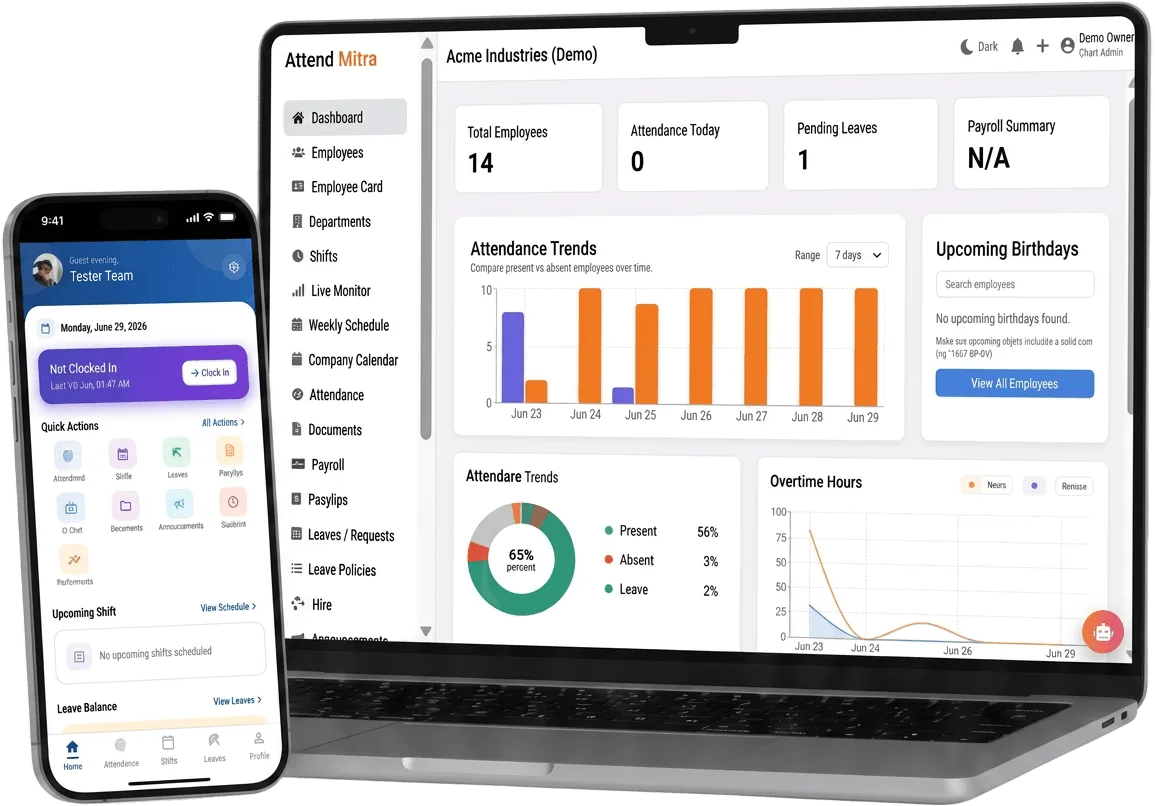
Best Project Time Tracking Software in Nagpur: overview
This guide covers time tracking for businesses in Nagpur: how it works in Attend Mitra, how to compare options before you choose, and what to check before you pick a tool.
The short version: Attend Mitra gives you clock-in to clock-out hours, late and early marks and overtime calculation, running on employees' Android phones instead of a machine at the door. You can try it free for 14 days without a credit card.
Where time tracking goes wrong for businesses in Nagpur
Hours estimated, not measured
Timesheets filled in at the end of the week are best guesses.
Monitoring tools feel like surveillance
Screenshot and keystroke trackers damage trust and don't fit non-desk work.
Overtime disputes
Without clock-out times, extra hours can't be proved either way.
Hours don't reach payroll
Tracked time still has to be re-entered before salaries are calculated.
How time tracking works in Attend Mitra
Time tracking software records how many hours each employee worked, from the moment they clock in to the moment they clock out. Attend Mitra measures working time from verified clock-ins rather than screenshots or keystrokes, which is closer to how Indian businesses actually pay: by days, hours and overtime.
Late arrivals, early exits and overtime are calculated against each employee's shift, and the totals go straight into payroll reports. It is time tracking for staff whose work happens in stores, sites, kitchens and on the road, not only at a laptop.
What to check before you choose
- Does it measure hours from verified attendance, or from self-reported timesheets?
- Does it work for staff who don't use a computer?
- Is overtime calculated against each employee's own shift?
- Will employees accept it, or does it feel like surveillance?
- Do tracked hours reach payroll without re-typing?
How to judge the best time tracking software for your team
“Best” depends on who you employ. A software company with desk staff needs different time tracking from a security agency with guards on 40 client sites. Before comparing feature lists, write down where your people work, how they will clock in and what your payroll team needs at month end.
Then test shortlisted tools against those needs during a trial. Check how the product handles failed clock-ins, exceptions and exports, because those are the moments that decide whether a system is still in use six months later.
- Match check-in methods to where your people actually work.
- Test exceptions and exports during the trial, not just the happy path.
- Compare total cost at your real headcount, including hardware.
Time Tracking for Businesses in Nagpur
Nagpur's economy is built on logistics and warehousing, trading and manufacturing. Its central location makes it a warehousing hub where shift-based workers move between facilities.
For employers in Nagpur, time tracking replaces registers that are filled in late or by someone else, and gives owners one view of attendance whether staff are at one site or spread across the city. Because Attend Mitra runs on employees' Android phones, there is no hardware to install at each location in Nagpur.
On compliance, establishments in Maharashtra register under the state's Shops and Establishments law or the Factories Act, depending on the type of business, and minimum wages are notified and revised by the state government. Maharashtra levies Professional Tax on salaries, so your payroll deductions include it alongside PF and ESI. Keeping verified attendance and overtime records makes it easier to show that wages were paid for the days and hours actually worked.
Benefits for your team
Accurate daily attendance
Replace manual registers with mobile, GPS, or face-verified check-in.
Leave & shift management
Handle leave requests and shift rosters in one place.
Payroll-ready reports
Export present days, overtime, and LOP directly for salary processing.
Time Tracking features in Attend Mitra
Clock-in to clock-out hours
Working time is measured from verified attendance entries.
Late and early marks
Compared against each employee's assigned shift.
Overtime calculation
Hours beyond the shift are captured automatically.
Verification at clock-in
Face, GPS, Wi-Fi or QR checks make every entry trustworthy.
Works away from a desk
Hours are tracked for staff on sites, in stores and on the road.
Hours to payroll
Totals export directly into payroll reports.
Setting up time tracking in four steps
Set shift timings
Define the hours each employee is expected to work.
Clock in and out
Staff record their day from the app with verification checks.
Hours calculate themselves
Working time, late marks and overtime are computed.
Export for payroll
Totals flow into the monthly salary run.
What You Gain With Attend Mitra
Month-end in minutes
Attendance totals are ready when the month closes, instead of after days of reconciling registers.
Stop buddy punching
GPS, selfie, and face verification ensure only the assigned employee can mark attendance.
Fewer payroll corrections
Accurate working hours and leave data mean fewer salary corrections and disputes.
Why Choose Attend Mitra
Quick to start
Import employees from Excel, configure a location and start a pilot the same week.
Plans sized by headcount
Starter for up to 20 employees, Professional for up to 100, Enterprise for larger teams.
Face verification included
Face recognition on the phone camera stops buddy punching without expensive hardware.
Frequently Asked Questions
Related Solutions
Attend Mitra combines this with shifts, leave and payroll exports in one attendance software for Indian businesses.
Ready to simplify workforce management?
Time tracking software records how many hours each employee worked, from the moment they clock in to the moment they clock out. Built for teams in Nagpur, with a 14-day free trial.