
Cloud-Based Photo Attendance App in Bokaro
Mobile attendance puts the attendance device in every employee's pocket. Built for teams in Bokaro, with a 14-day free trial.
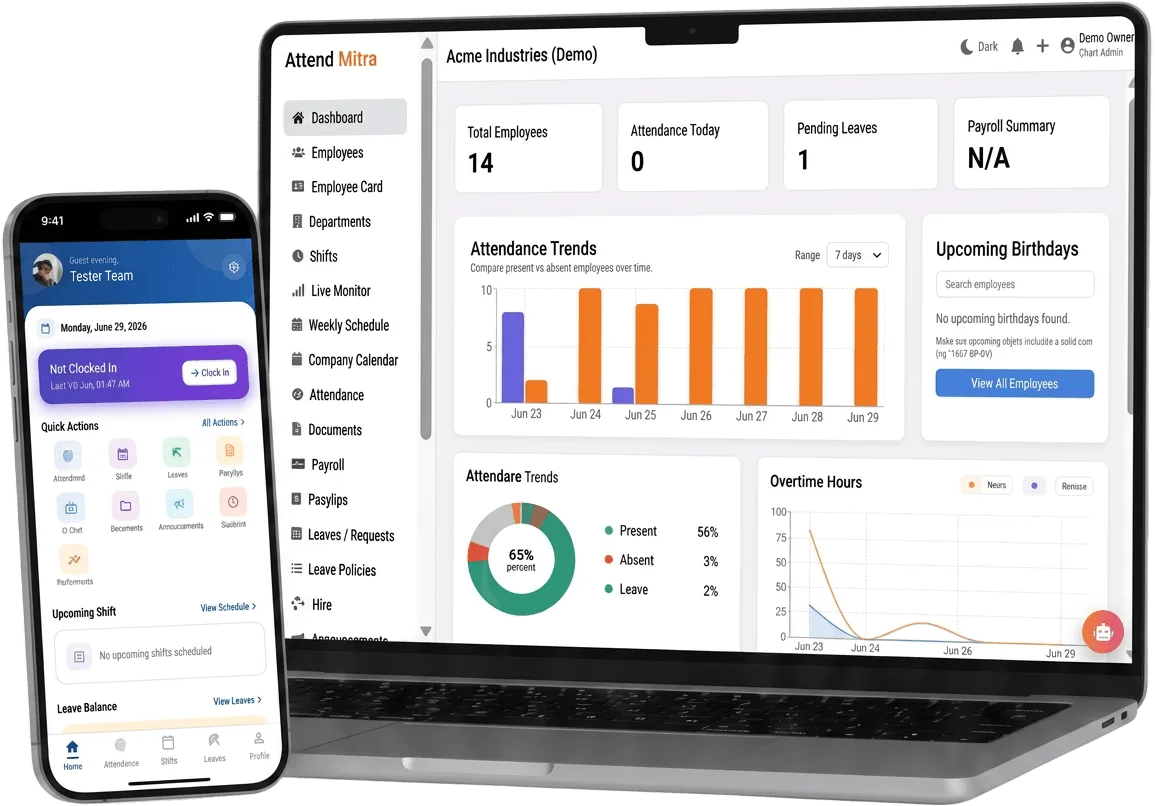
Cloud-Based Photo Attendance App in Bokaro: overview
This guide covers mobile attendance for businesses in Bokaro: how it works in Attend Mitra, why a cloud-based setup is easier to run, and what to check before you pick a tool.
The short version: Attend Mitra gives you slide to clock in, face and gps checks and leave from the phone, running on employees' Android phones instead of a machine at the door. You can try it free for 14 days without a credit card.
Where mobile attendance goes wrong for businesses in Bokaro
Hardware bottlenecks
A single device per site means queues, breakdowns and staff who can't reach it.
Employees can't see their records
Every attendance or leave question becomes a call to HR.
Permissions not granted
Apps fail at clock-in because camera or location access was never allowed.
New branches wait for devices
Opening a location means waiting for hardware to arrive and be installed.
How mobile attendance works in Attend Mitra
Mobile attendance puts the attendance device in every employee's pocket. With the Attend Mitra Android app, staff slide to clock in and out, apply for leave, check their shifts and see their own attendance history without calling HR.
The app needs camera access for face verification and location access for the geo-fence, and it only applies the checks your company has enabled. For the business, there is no hardware to buy, install or repair at each location, and a new branch can go live as soon as its employees install the app.
What to check before you choose
- Which phones does the app support, and what permissions does it need?
- Can employees apply for leave and see shifts in the same app?
- Does the app explain why a clock-in failed?
- How quickly can a new branch start using it?
- Are verification checks configurable per site?
Why cloud-based mobile attendance beats a local system
With cloud-based mobile attendance, attendance is recorded on the employee's phone and available in the web console straight away. There is no local server to maintain, no USB export from a device, and no data trapped on a machine at one branch.
Owners and HR can check attendance, approve leave and download reports from anywhere, and every location works from the same system instead of its own copy.
- No local server or device exports.
- Access attendance and reports from any browser.
- Every branch on one system, not separate copies.
Mobile Attendance for Businesses in Bokaro
Bokaro's economy is built on steel and its ancillary industries. Ancillary units supplying the steel plant run continuous shifts with contract labour.
For employers in Bokaro, mobile attendance replaces registers that are filled in late or by someone else, and gives owners one view of attendance whether staff are at one site or spread across the city. Because Attend Mitra runs on employees' Android phones, there is no hardware to install at each location in Bokaro.
On compliance, establishments in Jharkhand register under the state's Shops and Establishments law or the Factories Act, depending on the type of business, and minimum wages are notified and revised by the state government. Jharkhand levies Professional Tax on salaries, so your payroll deductions include it alongside PF and ESI. Keeping verified attendance and overtime records makes it easier to show that wages were paid for the days and hours actually worked.
Benefits for your team
Accurate daily attendance
Replace manual registers with mobile, GPS, or face-verified check-in.
Leave & shift management
Handle leave requests and shift rosters in one place.
Payroll-ready reports
Export present days, overtime, and LOP directly for salary processing.
Mobile Attendance features in Attend Mitra
Slide to clock in
One gesture to clock in or out.
Face and GPS checks
Camera and location checks, only where your company enables them.
Leave from the phone
Apply for leave and track approvals in the app.
Shift visibility
Employees see their assigned shifts.
Self-service history
Staff check their own attendance record.
Clear failure messages
The app shows which check failed so staff can fix it.
Setting up mobile attendance in four steps
Install the app
Employees download the Attend Mitra Android app.
Allow permissions
Grant camera and location access for the checks you use.
Enrol and start
Enrol the face if required, then slide to clock in.
Manage from the web
Managers review attendance from the web console.
What You Gain With Attend Mitra
Scale without new registers
Add locations and employees without changing your process.
Records you can produce
Verified attendance history for inspections, audits and client billing.
Fewer calls to HR
Employees check their own attendance, leave and shifts in the app.
Why Choose Attend Mitra
No mandatory hardware
Start with mobile attendance on employees' Android phones. No terminal per site.
Quick to start
Import employees from Excel, configure a location and start a pilot the same week.
Plans sized by headcount
Starter for up to 20 employees, Professional for up to 100, Enterprise for larger teams.
Frequently Asked Questions
Related Solutions
See how it fits into the complete attendance software for Indian businesses, from the first check-in to month-end payroll reports.
Ready to simplify workforce management?
Mobile attendance puts the attendance device in every employee's pocket. Built for teams in Bokaro, with a 14-day free trial.