
Payroll Ready Attendance Reports for Multiple Locations
GPS attendance records where an employee was when they clocked in, not just when. Built for teams across India, with a 14-day free trial.
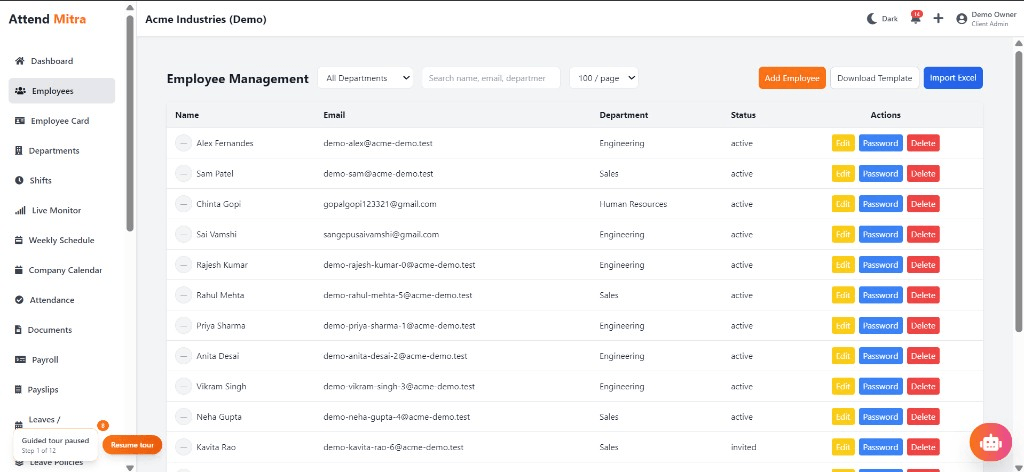
Payroll Ready Attendance Reports for Multiple Locations: overview
This guide covers GPS attendance for businesses: how it works in Attend Mitra, how it connects to payroll, and how to manage several locations in one place, and what to check before you pick a tool.
The short version: Attend Mitra gives you location at clock-in, geo-fenced work sites and high-accuracy guidance, running on employees' Android phones instead of a machine at the door. You can try it free for 14 days without a credit card.
Where GPS attendance goes wrong for businesses
Attendance marked from anywhere
Phone calls and WhatsApp messages can't prove an employee was actually on site.
Disputes over who reached the site
Without a location record, supervisors and staff argue about arrival times.
Hardware can't go where the team goes
A wall-mounted device only works at one gate, and field teams rarely pass it.
Travelling supervisors can't verify
Checking attendance in person across many sites costs a full day every week.
How GPS attendance works in Attend Mitra
GPS attendance records where an employee was when they clocked in, not just when. In Attend Mitra, the Android app takes a location fix at clock-in and compares it with the work location your company set up. If the employee is outside the allowed area, the clock-in is rejected and logged, so attendance can't be marked from home or from a tea stall down the road.
This suits teams that don't sit behind a single door: site staff, guards, technicians and anyone who reports to a location other than head office. For the best accuracy, the app asks for high-accuracy location and a few seconds to get a fresh fix, especially indoors.
What to check before you choose
- Does the app reject out-of-area clock-ins, or only flag them for later?
- Can one employee be allowed at several sites?
- How does it behave indoors where GPS is weaker?
- Is location captured only at clock-in and clock-out, which employees find more acceptable than all-day tracking?
- Can you combine GPS with face verification to stop someone clocking in for a colleague?
Connecting GPS attendance to payroll
The value of GPS attendance shows up at month end. When attendance, approved leave and overtime already sit in one system, payroll starts from approved numbers instead of a register someone has to total by hand.
Attend Mitra's attendance-linked payroll calculates salaries from that data, computes PF from your configured wage components and exports a salary register and PF contribution summary. If you prefer your current payroll software, export the attendance report instead.
- Payroll starts from verified attendance.
- PF computation and salary register export.
- Or export attendance into your existing payroll tool.
Managing GPS attendance across several locations
With several locations, the hard part of GPS attendance isn't recording attendance but seeing it in one place. Attend Mitra lets you set up each branch, store or site with its own geo-fence and checks, while head office sees every location's attendance in one console.
Branch managers handle their own team's exceptions and approvals, and the Enterprise plan adds multi-branch management for organisations running many sites.
- Separate geo-fence and checks for each location.
- One console across every branch.
- Multi-branch management on Enterprise.
Benefits for your team
Accurate daily attendance
Replace manual registers with mobile, GPS, or face-verified check-in.
Leave & shift management
Handle leave requests and shift rosters in one place.
Payroll-ready reports
Export present days, overtime, and LOP directly for salary processing.
Gps Attendance features in Attend Mitra
Location at clock-in
Each clock-in and clock-out records the employee's GPS position.
Geo-fenced work sites
Set the allowed area for each site; clock-ins outside it are rejected.
High-accuracy guidance
The app prompts staff to enable precise location before clocking in.
Face check on top
Combine GPS with face verification so the right person is at the right place.
Live attendance monitor
See who has clocked in at each location during the day.
Site-wise reports
Export attendance by location for payroll or client billing.
Setting up GPS attendance in four steps
Map your sites
Add each office, store or client site and its allowed area.
Assign employees
Link staff to the sites where they are allowed to clock in.
Clock in on location
The app checks GPS at clock-in and rejects out-of-area attempts.
Review by site
Managers monitor live attendance and export site-wise reports.
What You Gain With Attend Mitra
Fewer calls to HR
Employees check their own attendance, leave and shifts in the app.
Month-end in minutes
Attendance totals are ready when the month closes, instead of after days of reconciling registers.
Stop buddy punching
GPS, selfie, and face verification ensure only the assigned employee can mark attendance.
Why Choose Attend Mitra
Plans sized by headcount
Starter for up to 20 employees, Professional for up to 100, Enterprise for larger teams.
Face verification included
Face recognition on the phone camera stops buddy punching without expensive hardware.
Payroll & compliance ready
PF computation, salary register and PF contribution summary exports for Indian payroll.
Frequently Asked Questions
Related Solutions
Everything on this page is part of Attend Mitra attendance software: GPS and selfie check-in, shifts, leave and payroll-ready reports in one place.
Ready to simplify workforce management?
GPS attendance records where an employee was when they clocked in, not just when. Built for teams across India, with a 14-day free trial.