
HR Employee Portal with Payroll Integration
Employee management software keeps one clean record for every person on the payroll: who they are, which department and location they belong to, who manages them and whether they are still active. Built for teams across India, with a 14-day free trial.
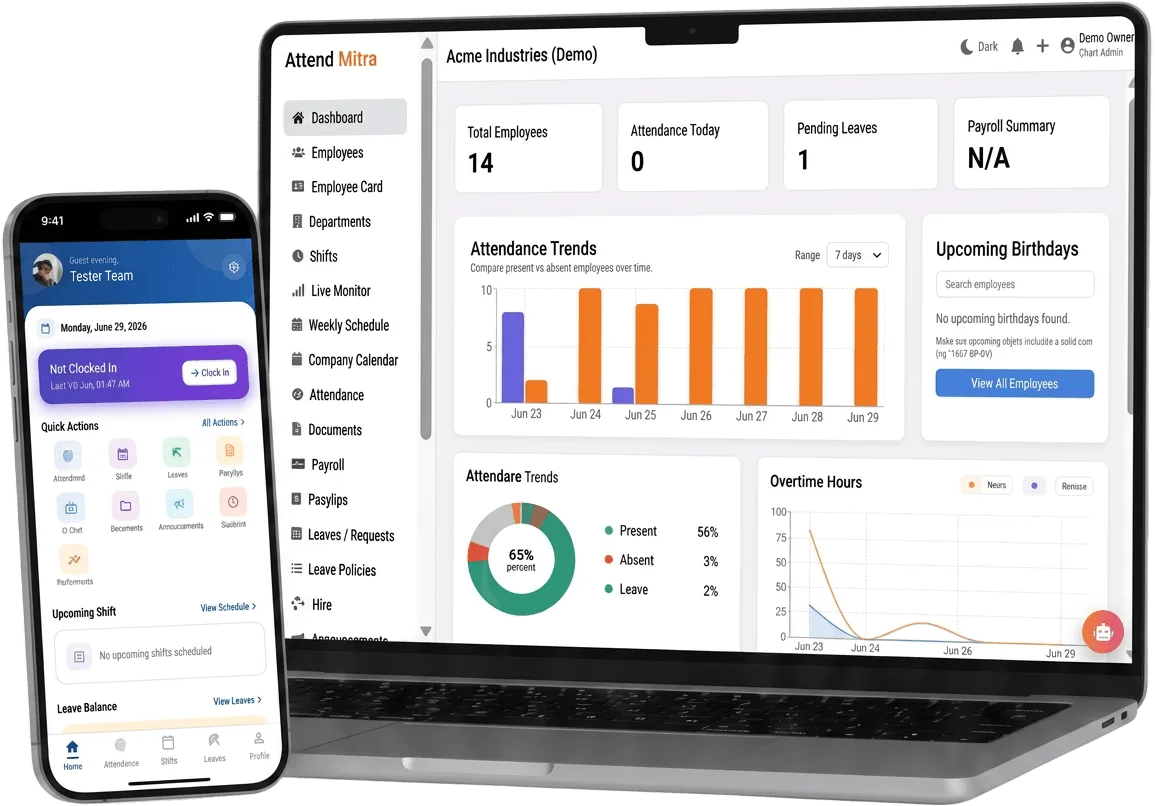
HR Employee Portal with Payroll Integration: overview
This guide covers employee management for businesses: how it works in Attend Mitra, how it connects to payroll, and what to check before you pick a tool.
The short version: Attend Mitra gives you excel employee import, departments and locations and roles and permissions, running on employees' Android phones instead of a machine at the door. You can try it free for 14 days without a credit card.
Where employee management goes wrong for businesses
Employee list lives in five places
HR, payroll and site managers each keep their own list, and none of them agree on headcount.
Leavers who can still clock in
When exits aren't recorded centrally, old accounts and old ID cards keep working.
Everyone can see everything
Without roles, a supervisor either sees nothing or sees salary data they shouldn't.
Onboarding a batch takes days
Adding 50 seasonal or contract workers by hand delays their first shift.
How employee management works in Attend Mitra
Employee management software keeps one clean record for every person on the payroll: who they are, which department and location they belong to, who manages them and whether they are still active. Attend Mitra builds this record first, because attendance, leave and payroll are only as accurate as the employee list underneath them.
You can add employees one at a time or import the whole team from an Excel sheet, assign roles and permissions, and mark leavers inactive so their history stays available without them being able to clock in.
What to check before you choose
- Can you import employees in bulk, and what columns does the template need?
- What happens to a leaver's attendance history when they are deactivated?
- Can permissions be set per role rather than per person?
- Can employees see their own records without calling HR?
- Is employee data stored securely, and who can export it?
Connecting employee management to payroll
The value of employee management shows up at month end. When attendance, approved leave and overtime already sit in one system, payroll starts from approved numbers instead of a register someone has to total by hand.
Attend Mitra's attendance-linked payroll calculates salaries from that data, computes PF from your configured wage components and exports a salary register and PF contribution summary. If you prefer your current payroll software, export the attendance report instead.
- Payroll starts from verified attendance.
- PF computation and salary register export.
- Or export attendance into your existing payroll tool.
Benefits for your team
Accurate daily attendance
Replace manual registers with mobile, GPS, or face-verified check-in.
Leave & shift management
Handle leave requests and shift rosters in one place.
Payroll-ready reports
Export present days, overtime, and LOP directly for salary processing.
Employee Management features in Attend Mitra
Excel employee import
Bring in the whole team from a spreadsheet instead of typing each record.
Departments and locations
Group people by department and workplace for reporting and access.
Roles and permissions
Decide who can view, approve or edit attendance, leave and payroll data.
Active and inactive status
Deactivate leavers so they can't clock in while their history is kept.
Employee self-service
Staff check their attendance, leave balance and shifts in the app.
Face re-enrolment
Managers approve a new face profile when an employee's appearance changes.
Setting up employee management in four steps
Import the team
Upload employees from Excel with department and location.
Assign managers
Set roles so each manager handles their own people.
Onboard to the app
Employees install the Android app and enrol their face if required.
Keep it current
Transfer, promote or deactivate employees as things change.
What You Gain With Attend Mitra
Fewer calls to HR
Employees check their own attendance, leave and shifts in the app.
Month-end in minutes
Attendance totals are ready when the month closes, instead of after days of reconciling registers.
Stop buddy punching
GPS, selfie, and face verification ensure only the assigned employee can mark attendance.
Why Choose Attend Mitra
Payroll & compliance ready
PF computation, salary register and PF contribution summary exports for Indian payroll.
Built for Indian businesses
Designed for security agencies, restaurants, factories, retail chains, and field teams — not generic global HR.
No mandatory hardware
Start with mobile attendance on employees' Android phones. No terminal per site.
Frequently Asked Questions
Related Solutions
Attend Mitra combines this with shifts, leave and payroll exports in one attendance software for Indian businesses.
Ready to simplify workforce management?
Employee management software keeps one clean record for every person on the payroll: who they are, which department and location they belong to, who manages them and whether they are still active. Built for teams across India, with a 14-day free trial.