
How to Set Up Cloud-Based Workforce Management in Cuttack
Workforce management software brings attendance, shifts, leave and payroll inputs into one system, so the people who run operations and the people who run payroll work from the same numbers. Built for teams in Cuttack, with a 14-day free trial.
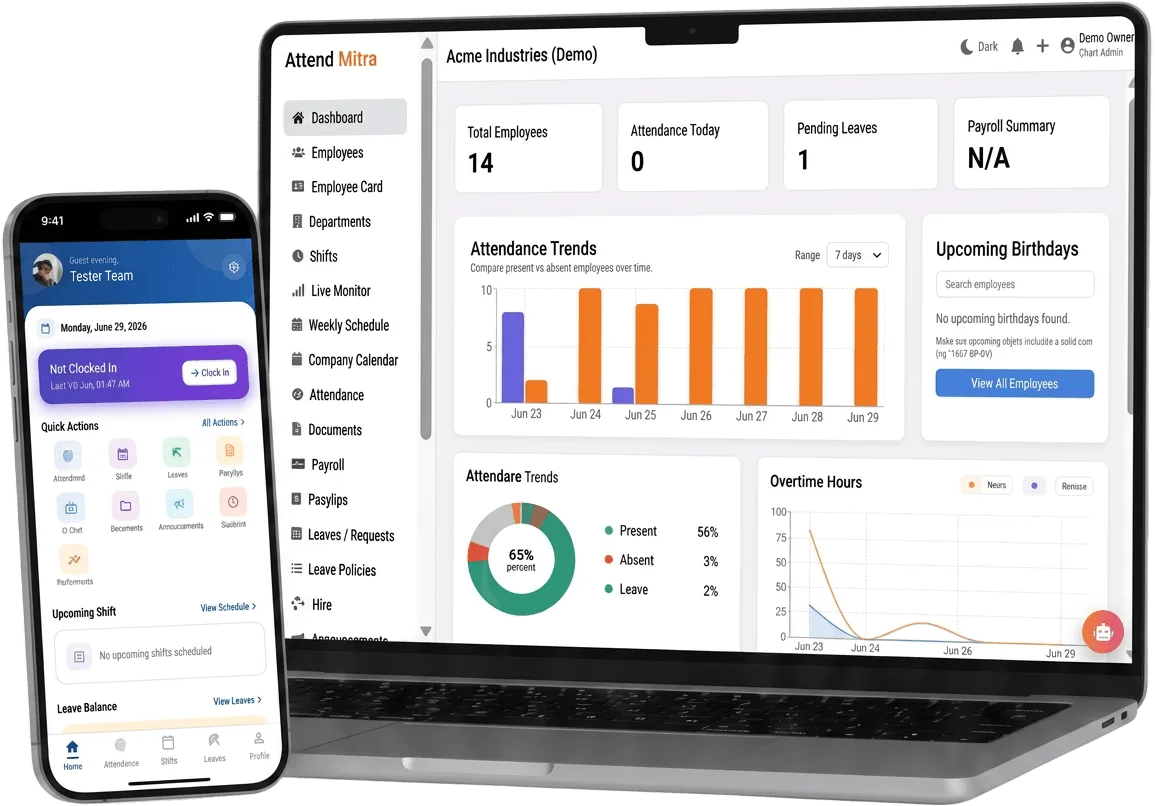
How to Set Up Cloud-Based Workforce Management in Cuttack: overview
This guide covers workforce management for businesses in Cuttack: how it works in Attend Mitra, the setup steps, in order, and why a cloud-based setup is easier to run, and what to check before you pick a tool.
The short version: Attend Mitra gives you verified attendance, shift management and leave management, running on employees' Android phones instead of a machine at the door. You can try it free for 14 days without a credit card.
Where workforce management goes wrong for businesses in Cuttack
Four tools for one employee
Attendance in a register, shifts on WhatsApp, leave on paper and salary in Excel. Nothing matches at month end.
Managers can't see coverage
Nobody knows which shift is short-staffed until customers or clients complain.
Overtime decided after the fact
Without clock-in data, overtime is negotiated at payday instead of recorded when it happens.
Growth multiplies admin
Every new branch adds another register and another person reconciling it.
How workforce management works in Attend Mitra
Workforce management software brings attendance, shifts, leave and payroll inputs into one system, so the people who run operations and the people who run payroll work from the same numbers. Attend Mitra starts with verified clock-ins from the Android app and builds shift rosters, leave balances, overtime and payroll reports on top of that data.
Employees are organised by department and location, and each manager sees their own team. On the Enterprise plan, multi-branch management gives head office one view across every site while branch managers keep control of their own rosters.
What to check before you choose
- Does one employee record carry attendance, shifts, leave and overtime together?
- Can each manager see only their own team?
- How does the system handle a new branch: a new account, or a new location in the same account?
- Are payroll reports built from verified clock-ins or from manual entries?
- Can you start with attendance and add shifts or payroll later?
How to get started with workforce management, step by step
Rolling out workforce management goes smoothly when you decide the rules before you install anything. Start by listing your workplaces and which of them need a location check, a face check or both. Then agree on shift timings, what counts as late, and who approves exceptions.
Pilot with one team for a week before rolling out to everyone. A short pilot shows which phones need permissions fixed, whether the geo-fence radius is right and whether the monthly export matches what payroll expects.
- Week 1: import employees, set up one location and pilot with a single team.
- Week 2: fix permission and radius issues, then add remaining locations.
- Month end: compare the export with your old register before switching over fully.
Why cloud-based workforce management beats a local system
With cloud-based workforce management, attendance is recorded on the employee's phone and available in the web console straight away. There is no local server to maintain, no USB export from a device, and no data trapped on a machine at one branch.
Owners and HR can check attendance, approve leave and download reports from anywhere, and every location works from the same system instead of its own copy.
- No local server or device exports.
- Access attendance and reports from any browser.
- Every branch on one system, not separate copies.
Workforce Management for Businesses in Cuttack
Cuttack's economy is built on trading, textiles and small industries. Trading firms and small manufacturers are replacing registers as they add staff.
For employers in Cuttack, workforce management replaces registers that are filled in late or by someone else, and gives owners one view of attendance whether staff are at one site or spread across the city. Because Attend Mitra runs on employees' Android phones, there is no hardware to install at each location in Cuttack.
On compliance, establishments in Odisha register under the state's Shops and Establishments law or the Factories Act, depending on the type of business, and minimum wages are notified and revised by the state government. Odisha levies Professional Tax on salaries, so your payroll deductions include it alongside PF and ESI. Keeping verified attendance and overtime records makes it easier to show that wages were paid for the days and hours actually worked.
Benefits for your team
Accurate daily attendance
Replace manual registers with mobile, GPS, or face-verified check-in.
Leave & shift management
Handle leave requests and shift rosters in one place.
Payroll-ready reports
Export present days, overtime, and LOP directly for salary processing.
Workforce Management features in Attend Mitra
Verified attendance
Face, GPS geo-fence, Wi-Fi or QR checks at clock-in, chosen per workplace.
Shift management
Define shifts, assign rosters and track who worked which shift.
Leave management
Employees apply from the app; managers approve and balances update.
Overtime tracking
Hours beyond the shift are captured from actual clock-in and clock-out times.
Departments and roles
Group employees by department and give managers access to only their team.
Payroll reports
Export present days, leave, late marks and overtime for the salary run.
Setting up workforce management in four steps
Set up the organisation
Create departments and locations, then import employees from Excel.
Define shifts and rules
Add shift timings, leave types and the checks each site needs.
Run the day
Staff clock in, apply for leave and see their shifts in the app.
Close the month
Review exceptions and export payroll-ready attendance data.
What You Gain With Attend Mitra
Fewer payroll corrections
Accurate working hours and leave data mean fewer salary corrections and disputes.
Scale without new registers
Add locations and employees without changing your process.
Records you can produce
Verified attendance history for inspections, audits and client billing.
Why Choose Attend Mitra
Built for Indian businesses
Designed for security agencies, restaurants, factories, retail chains, and field teams — not generic global HR.
No mandatory hardware
Start with mobile attendance on employees' Android phones. No terminal per site.
Quick to start
Import employees from Excel, configure a location and start a pilot the same week.
Frequently Asked Questions
Related Solutions
See how it fits into the complete attendance software for Indian businesses, from the first check-in to month-end payroll reports.
Ready to simplify workforce management?
Workforce management software brings attendance, shifts, leave and payroll inputs into one system, so the people who run operations and the people who run payroll work from the same numbers. Built for teams in Cuttack, with a 14-day free trial.