
AI-Powered Employee Management Software for Construction Sites in Aligarh
Employee management software keeps one clean record for every person on the payroll: who they are, which department and location they belong to, who manages them and whether they are still active. Built for construction sites in Aligarh, with a 14-day free trial.
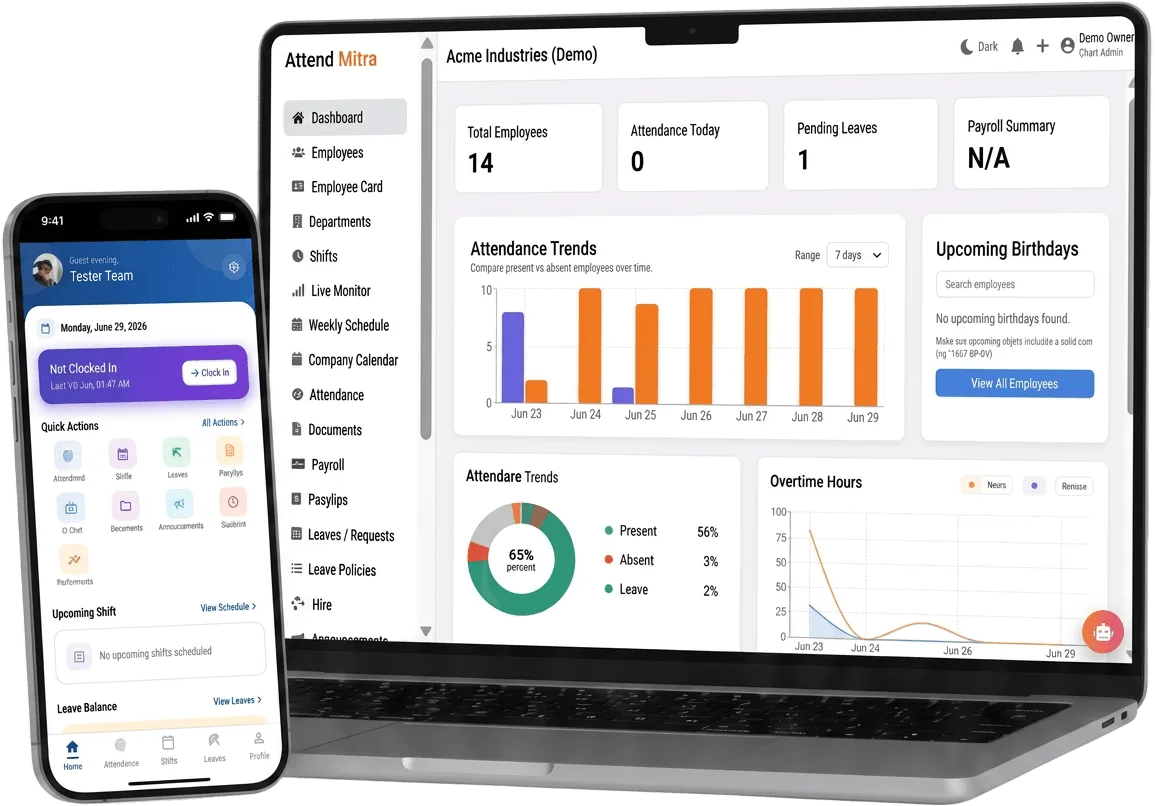
AI-Powered Employee Management Software for Construction Sites in Aligarh: overview
This guide covers employee management for construction sites in Aligarh: how it works in Attend Mitra, where AI actually helps, and what to check before you pick a tool.
The short version: Attend Mitra gives you excel employee import, departments and locations and roles and permissions, running on employees' Android phones instead of a machine at the door. You can try it free for 14 days without a credit card.
Where employee management goes wrong for construction sites in Aligarh
Employee list lives in five places
HR, payroll and site managers each keep their own list, and none of them agree on headcount.
Leavers who can still clock in
When exits aren't recorded centrally, old accounts and old ID cards keep working.
Everyone can see everything
Without roles, a supervisor either sees nothing or sees salary data they shouldn't.
Onboarding a batch takes days
Adding 50 seasonal or contract workers by hand delays their first shift.
How employee management works in Attend Mitra
Employee management software keeps one clean record for every person on the payroll: who they are, which department and location they belong to, who manages them and whether they are still active. Attend Mitra builds this record first, because attendance, leave and payroll are only as accurate as the employee list underneath them.
You can add employees one at a time or import the whole team from an Excel sheet, assign roles and permissions, and mark leavers inactive so their history stays available without them being able to clock in.
What to check before you choose
- Can you import employees in bulk, and what columns does the template need?
- What happens to a leaver's attendance history when they are deactivated?
- Can permissions be set per role rather than per person?
- Can employees see their own records without calling HR?
- Is employee data stored securely, and who can export it?
Where AI actually helps in employee management
In employee management, AI earns its place at the moment of clock-in. Attend Mitra uses face verification to match the person in front of the camera with the employee's enrolled profile, which stops buddy punching without a biometric terminal.
On the Enterprise plan, advanced analytics and AI insights help larger teams spot attendance patterns across branches. The rest is deliberately simple: clear rules for shifts, leave and overtime that managers can understand and explain to staff.
- Face verification at every clock-in.
- Advanced analytics and AI insights on Enterprise.
- Simple, explainable rules for everything else.
Employee Management for Construction Sites in Aligarh
Aligarh's economy is built on locks and hardware manufacturing, and education. Lock and hardware units employ many workers in small workshops across the city.
For construction sites in Aligarh, employee management replaces registers that are filled in late or by someone else, and gives owners one view of attendance whether staff are at one site or spread across the city. Because Attend Mitra runs on employees' Android phones, there is no hardware to install at each location in Aligarh.
On compliance, establishments in Uttar Pradesh register under the state's Shops and Establishments law or the Factories Act, depending on the type of business, and minimum wages are notified and revised by the state government. Uttar Pradesh does not levy Professional Tax on salaries, so payroll deductions are mainly PF, ESI and TDS. Keeping verified attendance and overtime records makes it easier to show that wages were paid for the days and hours actually worked.
What construction sites get from Attend Mitra
Construction companies move labour between sites as projects progress, often through contractors. For construction sites, employee management matters because of a simple problem: site registers are lost or filled in later, and contractor headcounts are hard to verify.
Site-wise attendance
Geo-fence each project site so labour clocks in where they actually work.
Contractor headcount
Verify contractor-supplied labour with face checks at clock-in.
Transfers between sites
Move workers between projects without new registers.
Employee Management features in Attend Mitra
Excel employee import
Bring in the whole team from a spreadsheet instead of typing each record.
Departments and locations
Group people by department and workplace for reporting and access.
Roles and permissions
Decide who can view, approve or edit attendance, leave and payroll data.
Active and inactive status
Deactivate leavers so they can't clock in while their history is kept.
Employee self-service
Staff check their attendance, leave balance and shifts in the app.
Face re-enrolment
Managers approve a new face profile when an employee's appearance changes.
Setting up employee management in four steps
Import the team
Upload employees from Excel with department and location.
Assign managers
Set roles so each manager handles their own people.
Onboard to the app
Employees install the Android app and enrol their face if required.
Keep it current
Transfer, promote or deactivate employees as things change.
What You Gain With Attend Mitra
Stop buddy punching
GPS, selfie, and face verification ensure only the assigned employee can mark attendance.
Fewer payroll corrections
Accurate working hours and leave data mean fewer salary corrections and disputes.
Scale without new registers
Add locations and employees without changing your process.
Why Choose Attend Mitra
No mandatory hardware
Start with mobile attendance on employees' Android phones. No terminal per site.
Quick to start
Import employees from Excel, configure a location and start a pilot the same week.
Plans sized by headcount
Starter for up to 20 employees, Professional for up to 100, Enterprise for larger teams.
Frequently Asked Questions
Related Solutions
Everything on this page is part of Attend Mitra attendance software: GPS and selfie check-in, shifts, leave and payroll-ready reports in one place.
Ready to simplify workforce management?
Employee management software keeps one clean record for every person on the payroll: who they are, which department and location they belong to, who manages them and whether they are still active. Built for construction sites in Aligarh, with a 14-day free trial.